 DNS Unpacked
TTL and why DNS changes take time
The short version
- Every DNS record has a TTL: a number of seconds that copies of it may be kept.
- Resolvers keep copies until the TTL runs out. Only then do they ask again.
- So when you change a record, some people keep seeing the old one for a while.
- "Propagation" is just those old copies running out, one by one.
- To make a planned change faster, lower the TTL a day or two before.
What TTL means
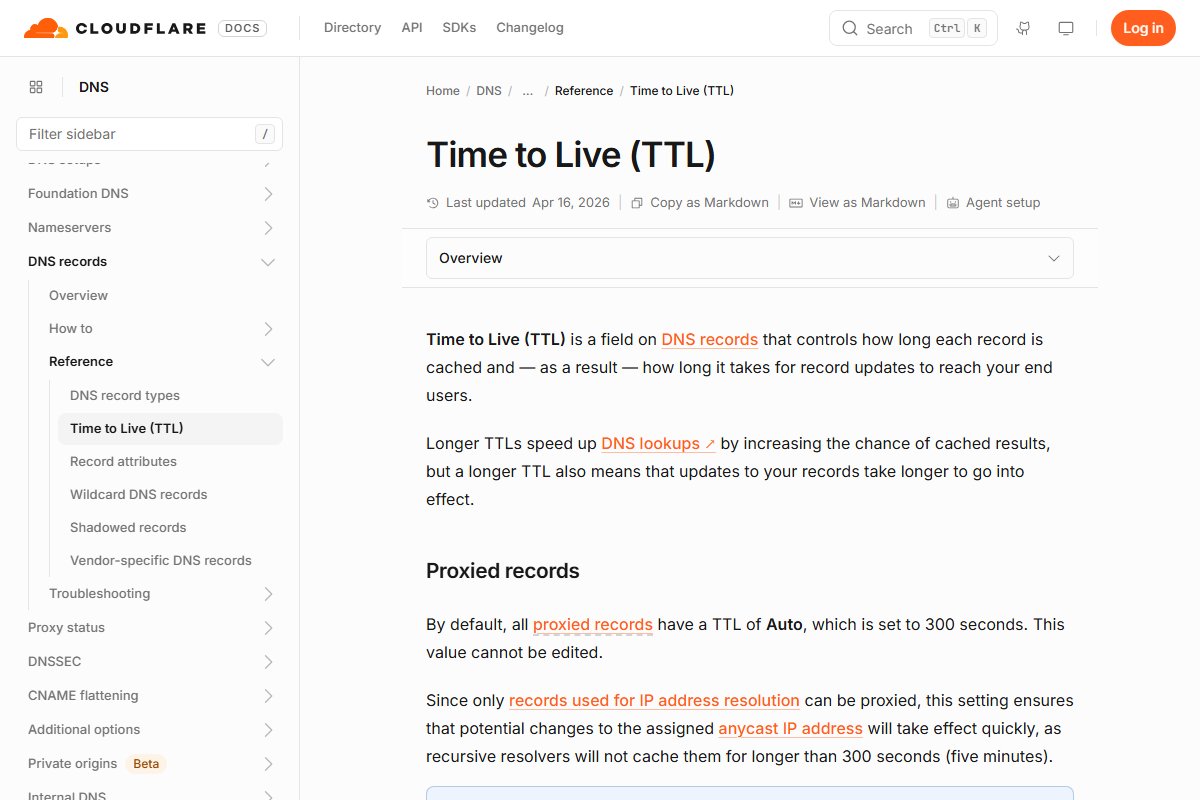
TTL stands for time to live. It is a number on every record. It says how many seconds a copy of the record may be kept before it must be thrown away.[1]
You met caches in the chapter on resolvers. TTL is the rule that controls them. It sets how long each record stays in a cache. That in turn sets how long a change takes to reach your visitors.[2]
Some common values, in seconds:
- 300 is 5 minutes.
- 3600 is 1 hour.
- 86400 is 1 day.
Here is an A record with a TTL of 3600:
example.com. 3600 IN A 192.0.2.1
A copy's life, step by step
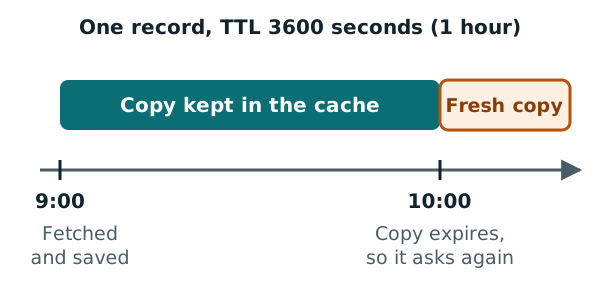
Say a resolver looks up example.com at 9:00. The record has a TTL of 3600 seconds, which is one hour.
- At 9:00, the resolver fetches the record and saves a copy.
- From 9:00 to 10:00, anyone who asks gets the saved copy.
- At 10:00, the copy expires. The resolver throws it away.
- The next person to ask after 10:00 causes a fresh lookup.
Many lookup tools show how much time a copy has left. Google's Dig tool, for example, shows a TTL next to each answer. You can see it in the A record chapter.
Why changes appear slowly
Now say you change that record at 9:30. You point example.com at a new address.
The resolver from our example still has the old copy. It keeps handing out the old address until 10:00. Only then does it fetch the new one.
Other resolvers saved their copies at other times. Each one switches over when its own copy runs out. So for a while, some people see the new address and some see the old one.
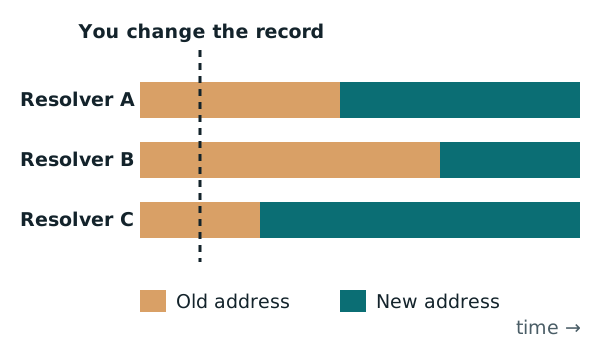
With a TTL of one day, old copies could last up to 24 hours after a change.[3] ICANN's own guide says a change reaches the whole internet within 48 hours.[4]
What "propagation" really means
People often say DNS changes need time to propagate. That makes it sound like the change is being pushed out around the world.
It isn't. Your nameservers have the new record the moment you save it. Nothing is pushed anywhere. The wait is just old copies in caches running out, one at a time.
There are a few extra layers of caching too:
- Browsers keep their own short cache, often about a minute.[5]
- Your device has a cache. It can take a little longer to update.[2]
- "No such name" answers are cached as well, with their own time limit.[6]
The trade-off
A long TTL makes lookups faster, because more answers come from cache.[2] But changes take longer to show.[2]
A short TTL means changes show quickly. But your nameservers get asked more often.[3]
For records that rarely change, a long TTL is fine. One of the standards even suggests long TTLs for records like that.[7] For records you are about to change, a short one helps.
Lowering TTL before a planned change
Here is a trick for planned moves, like changing web host. Lower the TTL before you make the change. Administrators often do this before moving a service.[3]
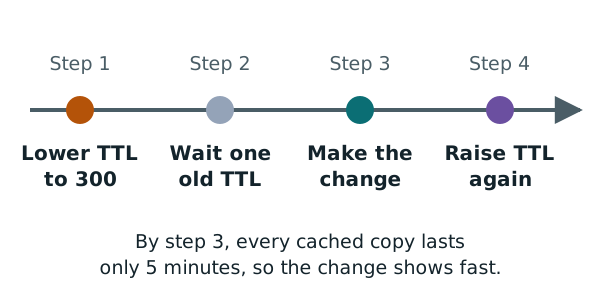
- Two days before: check the record's current TTL. Say it is 86400, which is one day.
- Still two days before: lower the TTL to something short, like 300.
- Wait at least one old TTL. Here, that is one day. Old copies with the long TTL run out.
- Make the change. Now every cached copy expires within 5 minutes.
- Afterwards: once everything works, raise the TTL again.
The waiting step matters. If you skip it, resolvers still hold copies that last a full day.
Clearing a public resolver's cache
Some public resolvers let you clear their cached copy of a name. Google Public DNS has a page for this.
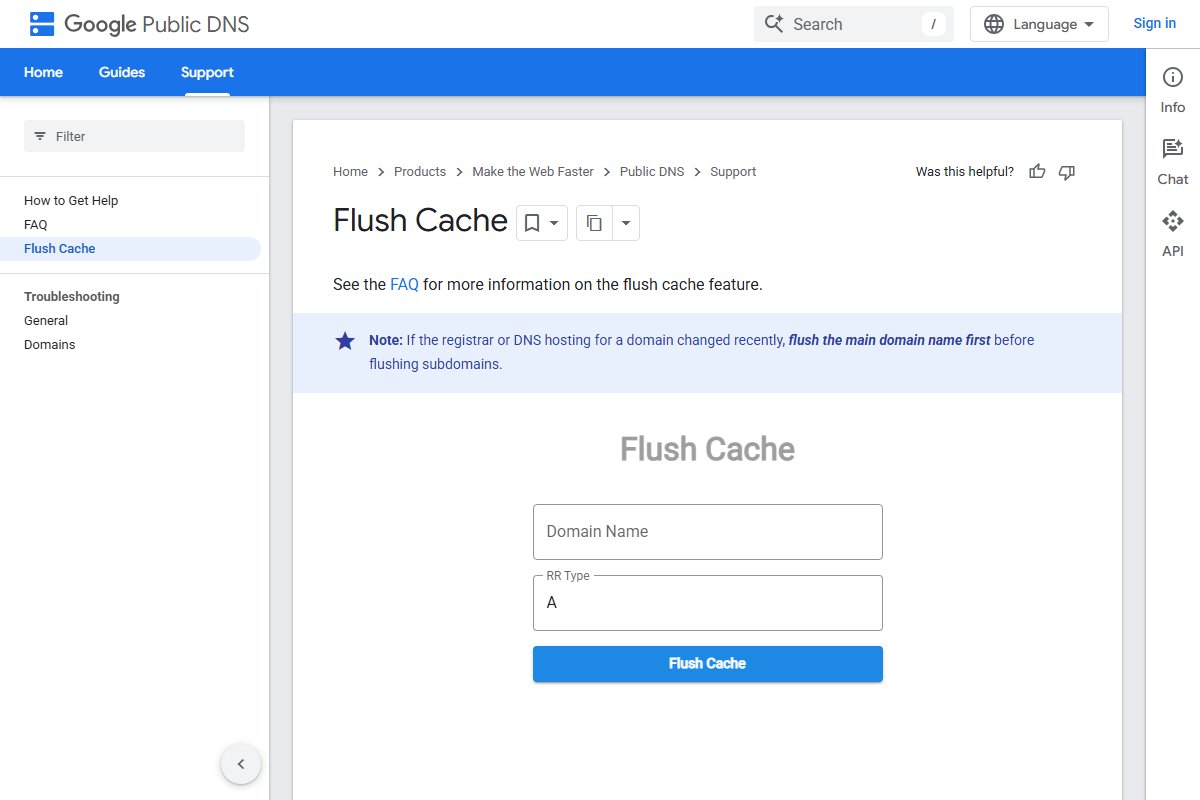
Google's note is worth following. If you just changed the domain's registrar or DNS host, clear the main domain first. Then do any subdomains.[8]
This only clears that one resolver. Other resolvers keep their own copies until the TTL runs out.
Next: putting it all together
You now know every piece you need. The last chapter shows how to point your domain at a website host, step by step.
Sources
- RFC 1035: Domain names - implementation and specification, IETF (accessed 2026-10-18)
- Time to Live (TTL), Cloudflare DNS docs (accessed 2026-10-18)
- Time to live, Wikipedia (accessed 2026-10-18)
- What Does ICANN Do?, ICANN (accessed 2026-10-18)
- Domain Name System, Wikipedia (accessed 2026-10-18)
- RFC 2308: Negative Caching of DNS Queries (DNS NCACHE), IETF (accessed 2026-10-18)
- RFC 1912: Common DNS Operational and Configuration Errors, IETF (accessed 2026-10-18)
- Flush Cache: Google Public DNS, Google Public DNS (accessed 2026-10-18)