 DNS Unpacked
CNAME records
The short version
- A CNAME record says "this name is just another name for that one".
- The DNS then looks up the other name to find the address.
- It's handy when your host might change its addresses without telling you.
- A name with a CNAME can't have any other records.
- That's why you can't put a CNAME on your bare domain. Some DNS providers offer a workaround.
An alias for another name
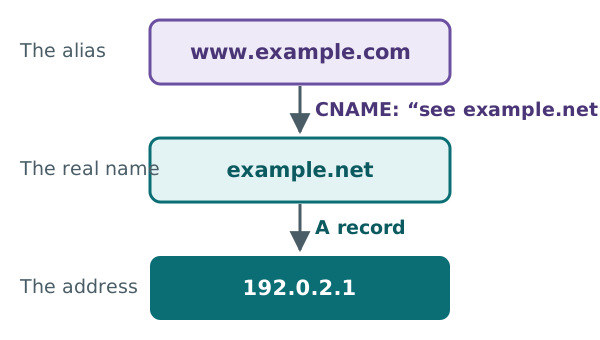
A CNAME record makes one name an alias of another. The other name is the "real" one, called the canonical name.[1] CNAME is short for canonical name.
Here is one, written the way DNS tools show it:
www.example.com. 3600 IN CNAME example.net.
This says that www.example.com is an alias. The real name is example.net.[2]
When a resolver meets this record, it follows the pointer. It looks up example.net instead, and returns the address it finds there.[3]
Why hosts like CNAMEs
Say your host runs your site on its own servers. It may change their IP addresses one day.
If you had typed those addresses into A records, your site would break. With a CNAME, you point at a name the host controls. The host keeps that name's addresses up to date. You never need to touch your record again.
That is why hosts often ask for a CNAME on www. One host's guide, for example, says to point www at the site's own address on the host.[4]
Rule 1: a CNAME stands alone
A name that has a CNAME can't have any other records.[3] Not an A record, not an MX record, not even a TXT record.[5]
The reason is simple. A CNAME says "everything about this name lives over there". If the name also had its own records, there would be two answers to the same question.
This catches people out with verification records. Say a service asks you to add a TXT record to www.example.com. If www already has a CNAME, you can't add the TXT record there.
Rule 2: no CNAME on the bare domain
Your bare domain, like example.com, is the top of your zone. It must always hold some special records. These include the NS records that list your nameservers.[3]
Rule 1 says a CNAME can't sit beside other records. So a CNAME can't go on the bare domain. The standards warn against trying it.[5]
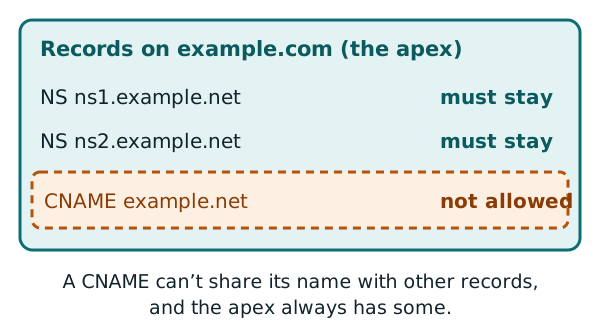
This is a real problem when a host only gives you a name to point at, and no IP address. You can use a CNAME for www. But what do you do with the bare domain?
The workaround: ALIAS and flattening
Several DNS providers offer a workaround. It goes by names like ALIAS, ANAME or CNAME flattening.[2][6]
It isn't part of the DNS standards.[2] It works inside your DNS provider. You set it up like a CNAME, but the outside world sees A records.[2]
Here is how one provider describes its version. Its servers look up the address behind the target name. Then they hand back that address instead of a CNAME.[6]
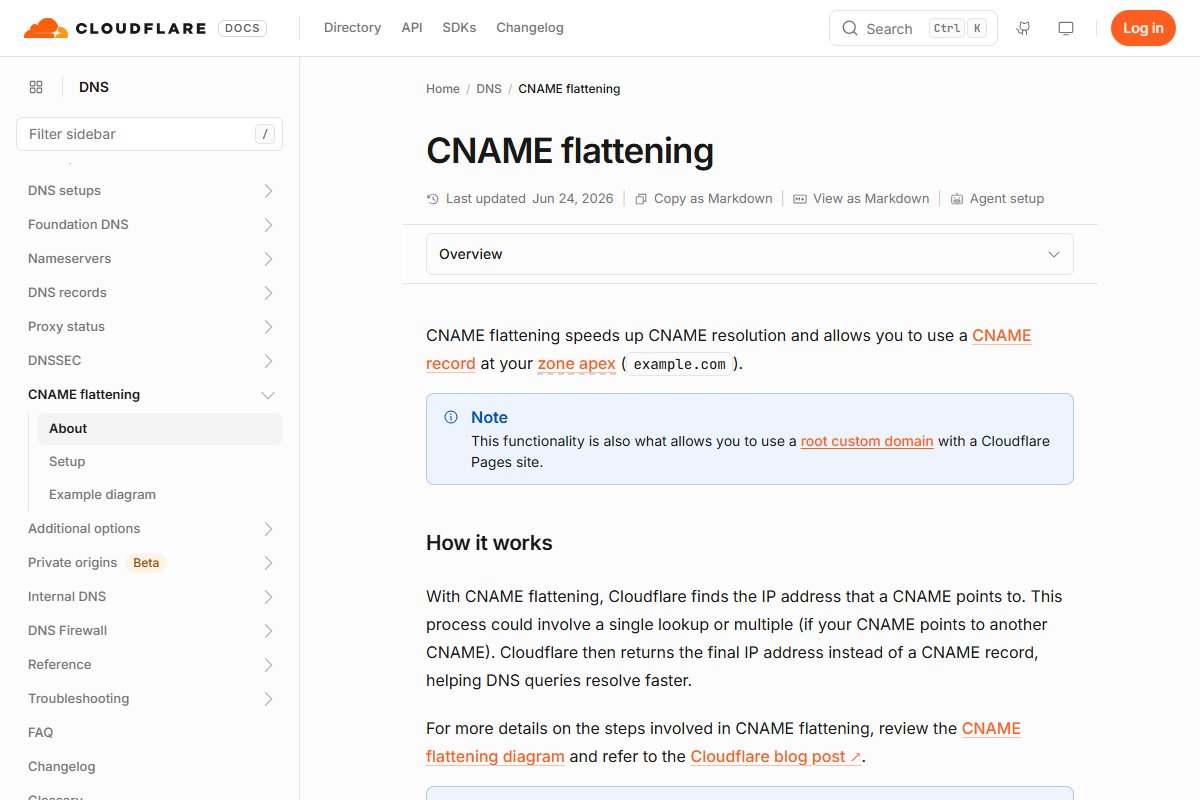
Some hosts mention this option in their instructions. One tells you to point an ALIAS or ANAME record at your site's name on the host.[4] If your DNS provider doesn't offer it, use the A records your host lists instead.[4]
Rule 3: mail and nameservers need real names
Two other kinds of record must point at a real name, never an alias. They are MX records, for email, and NS records, for nameservers.[7]
So if you point an MX record at a name, check that name has its own A record. It must not have a CNAME.
Tidy up old CNAMEs
A CNAME is only as good as the name it points to. If that name disappears, the CNAME points at nothing.
The standards give simple advice. When you stop using a server, delete any CNAMEs that point to it as well.[5]
Next: email
You've now seen how names reach websites. The next chapter shows how a domain tells the world where to deliver its email.
Sources
- RFC 1035: Domain names - implementation and specification, IETF (accessed 2026-10-18)
- CNAME record, Wikipedia (accessed 2026-10-18)
- RFC 1034: Domain names - concepts and facilities, IETF (accessed 2026-10-18)
- Managing a custom domain for your GitHub Pages site, GitHub Docs (accessed 2026-10-18)
- RFC 1912: Common DNS Operational and Configuration Errors, IETF (accessed 2026-10-18)
- CNAME flattening, Cloudflare DNS docs (accessed 2026-10-18)
- RFC 2181: Clarifications to the DNS Specification, IETF (accessed 2026-10-18)