 DNS Unpacked
Reading a domain from right to left
The short version
- A domain name is made of parts, with a dot between each part.
- You read the parts from right to left.
- The part on the far right is the most general. The part on the far left is the most specific.
- Each part sits inside the part to its right, like boxes inside boxes.
The parts of a name
Let's take one name apart: www.example.com.
The dots split it into parts. The standards call each part a label.[1]
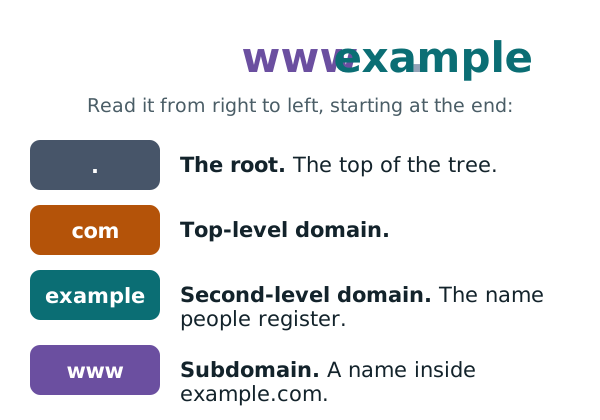
The part on the right is the most general. The part on the left is the most specific.[1] So to understand a name, start at the right-hand end and work left.
Domains form a tree
All domain names fit into one big tree.[1] The top of the tree is called the root.
A full domain name is the path from one spot on the tree back up to the root.[1] Here is part of that tree:
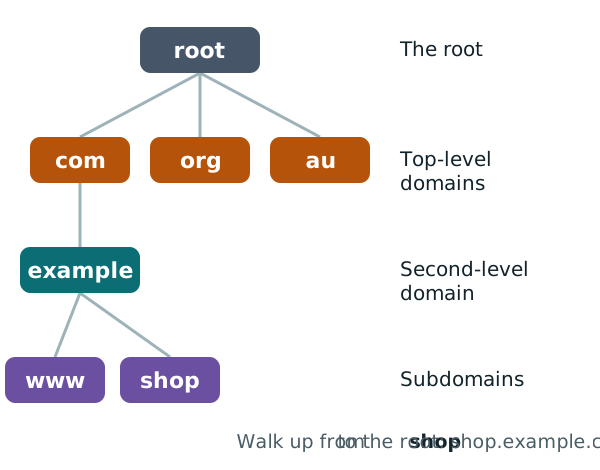
Start at shop and walk up. You pass example, then com, then reach the root. Write those down in order and you get shop.example.com.
The hidden dot at the end
The root has a name too, but it is empty.[1] Every full name ends at the root. So, written out in full, every name ends with a dot.[1]
That means the complete form of www.example.com is www.example.com. with a dot on the end. You almost never need to type it. It is just good to know it is there.
Top-level domains
The last part of a name is the top-level domain, or TLD for short. In www.example.com, the TLD is com.
An organisation called IANA keeps the official list of every TLD.[2] Here is the start of that list:
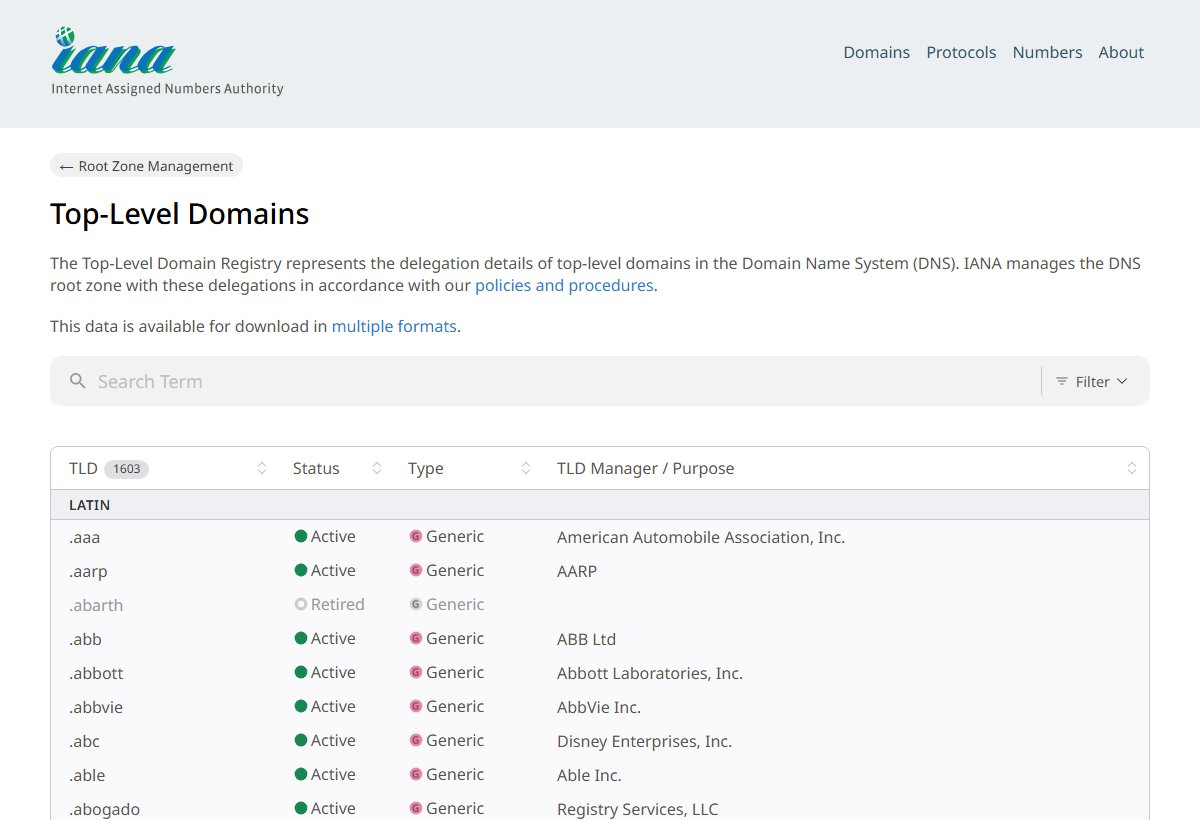
There are two main kinds of TLD.
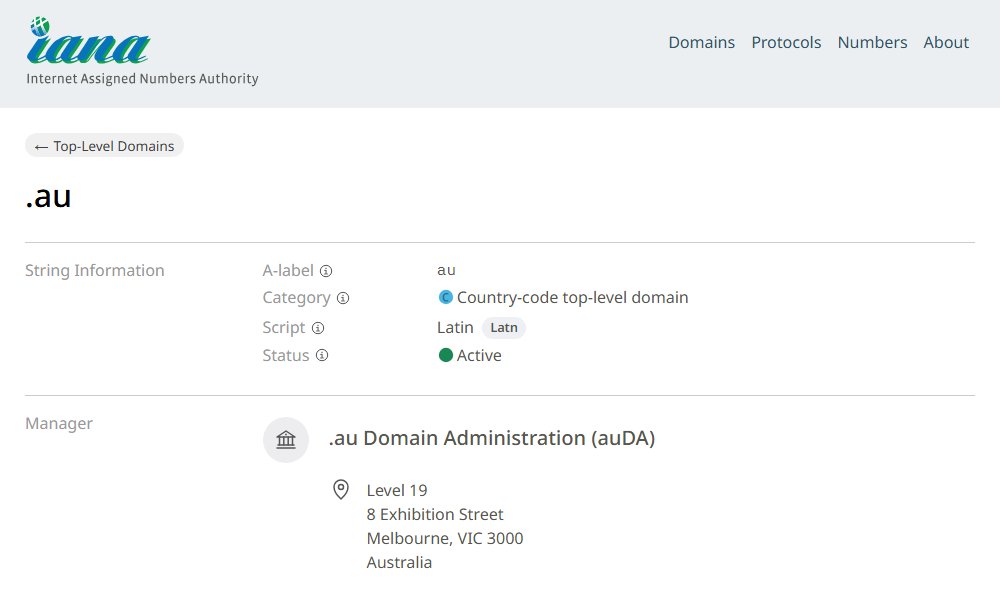
Country-code TLDs are two letters long. Each one stands for a country, using the official two-letter country codes.[3] Australia's is .au.[4] Each country-code TLD is run by an organisation for that country.[3]
Generic TLDs are all the others. They do not stand for a country.[5] .com is one of them.[6]
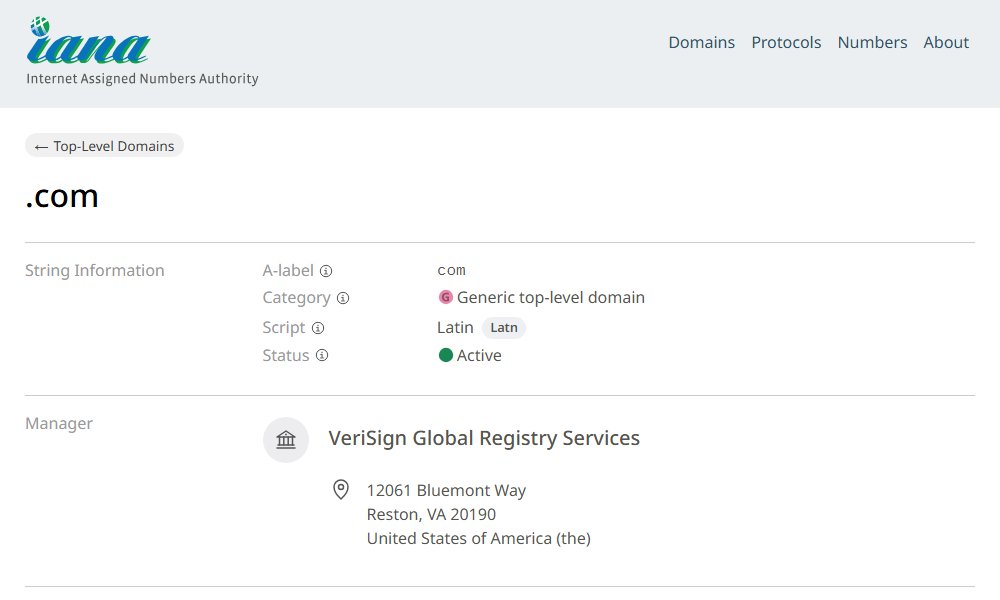
There used to be only a few generic TLDs. In 1994, one of the standards said new ones were "extremely unlikely".[3] That turned out to be wrong. In its 2012 round, ICANN opened the door to hundreds of new ones.[5]
Who runs each TLD, and who sells names under it, is covered in the next chapter.
Second-level domains
The part just left of the TLD is the second-level domain. In www.example.com, it is example.
Under generic TLDs like .com, most organisations register their name directly at this level.[3] So when someone says "I registered a domain", they usually mean a second-level name like example.com.
Country-code TLDs can be set up differently. Each country decides how its own part of the tree is organised.[3] That is why some country-code names have an extra part before the TLD.
Subdomains
Anything to the left of a domain is a subdomain of it. Think of it as a box inside a box.
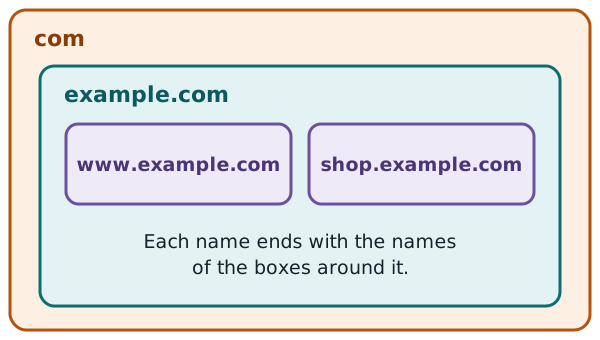
There is an easy test. A name is a subdomain of another name if it ends with that name.[1]
shop.example.comends withexample.com. So it is a subdomain ofexample.com.example.comends withcom. So it is insidecom.- Every name ends at the root. So every name is inside the root.
Three simple rules
- Each part can be up to 63 characters long.[7] (Strictly, the limit is 63 bytes. For plain letters and numbers, that is the same thing.)
- A whole name has a limit too: about 255 characters.[7]
- Capital letters don't matter.
Example.COMandexample.comare the same name.[1]
Why this guide uses example.com
You will see example.com all through this guide. It is set aside for use in examples, along with example.net and example.org.[8] That way, it is never mixed up with a real website.
Sources
- RFC 1034: Domain names - concepts and facilities, IETF (accessed 2026-10-18)
- Root Zone Database (Top-Level Domains), IANA (accessed 2026-10-18)
- RFC 1591: Domain Name System Structure and Delegation, IETF (accessed 2026-10-18)
- .au Top-Level Domain, IANA (accessed 2026-10-18)
- About the New gTLD Program (2012 round), ICANN (accessed 2026-10-18)
- .com Top-Level Domain, IANA (accessed 2026-10-18)
- RFC 1035: Domain names - implementation and specification, IETF (accessed 2026-10-18)
- RFC 2606: Reserved Top Level DNS Names, IETF (accessed 2026-10-18)